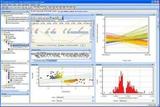
TreeSize Professional

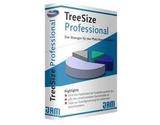
TreeSize Professional is a powerful and flexible hard disk space manager for Windows 2000, XP, Vista, Windows 7 or Windows Server 2003/2008 (32 or 64-bit).

Principais features

Análise de Espaço em Disco
Visualização de Estrutura de Pastas
Relatórios Personalizados
Limpeza de Arquivos Duplicados
Monitoramento de Uso de Armazenamento

Descripción completa

Request a quote

TreeSize Professional is a powerful and flexible hard disk space manager for Windows 2000, XP, Vista, Windows 7 or Windows Server 2003/2008 (32 or 64-bit).

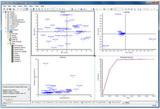
Find out which folders are the largest on your drives and recover megabytes on your disk. TreeSize Professional displays the size, allocated and wasted space, number of images, 3D graphics, last access date, file owner and permissions, NTFS compression ratio, and much more information for multiple folders or drives you select. Its features include:

Filter drives, servers, or the entire network by age, file size, temporary files, and duplicates;

Visually track disk usage and see the size of all folders including subfolders and split them by file level;

Various export and reporting opportunities: printed report (showing directory structure), Excel, HTML, XML, text file, transfer area;

The fully customizable, built-in file search helps you find and archive the largest, oldest, obsolete, and temporary files—for example, invalid shortcuts or files owned by a nonexistent account.

Search results can be exported, moved, deleted, or moved to any executable file or script;

Search for duplicate files;

Statistics on file types;

TreeSize Pro is able to save data to an XML file and load it again later;

A saved XML file can be used to compare it with the current version in the file system. The difference between the two will be displayed, making it easier to see which folders have grown;

Support for Unicode file and folder names;

Visible columns can be configured separately;

TreeSize Pro comes with a shell extension for Windows 2000/XP/2003 that adds an additional TreeSize column to Windows Explorer that shows the size not only for files, but also for folders;

High performance through multithreading: Browse results during scanning, scan and view multiple folders at the same time, automatically adjust the number of segments used for a scan;

Include and exclude certain files and folders in scans;

Print the contents of a directory, including all files and corresponding icons;

Several command line options allow for regular overnight scans of your hard drive, a built-in wizard helps you configure scheduled scans;

A list of all files in the scanned folder and its subfolders can be exported, for example, for use in a database;

Support for NTFS file compression, hard links and Alternating Data Streams (ADS) and much more!

Request a quote

By clicking "Submit," you agree to allow Software.com.br to contact you using the information provided to send quotes and communications related to your order. For more details on how we protect and use your data, please see our Privacy Policy. Política de privacidad y Términos de uso

Productos relacionados

Pentaho Big Data Analytics

GeneSpring GX

By clicking "Submit," you agree to allow Software.com.br to contact you using the information provided to send quotes and communications related to your order. For more details on how we protect and use your data, please see our Privacy Policy. Política de privacidad y Términos de uso

en_US