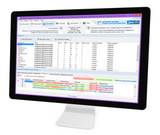
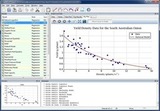
Reliable dice bank dice comparison and synchronization tool.
- Synchronize dice from dice banks with support for multiple dice banks.
- Compare and synchronize the dice in the dice bank.
- Map tables and columns, regardless of their names.
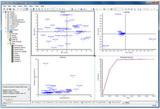
- Visualize the differences between the compared tables.
- Save your comparison plan.
- Create custom comparison keys.
- Command line utility included.
- For Oracle databases, MS SQL Server, MS Azure, MS Access, PostgreSQL, MySQL, InterBase, Firebird and SQLite.
Dice Comparison.
- Compare the selected tables.
Compare complete dice banks or a selection of tables.
- Compare the selected fields.
You can define which fields to compare. The only thing is that this does not mean that you cannot synchronize excluded fields. You can always synchronize a field, even if it has not been included in the list of fields to be compared.
- Comparison and synchronization between verses.
By comparison and synchronization we can run between two different dice bank versions.
- Define custom comparison keys.
A comparison key is automatically selected from your tables containing a unique corresponding key. You can also define your own comparison key (any combination of two fields in the table).
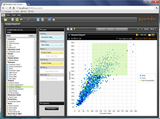
Check how the data compares. Ignore spaces, cut strings, correspond NULL to empty string, comparison without distinction between uppercase and lowercase, etc.
- Quick comparison of large dice banks.
Optimized memory usage and comparison routines turn Datanamic DataDiff into two faster products for large data banks.
- Supports comparison of binary dice.
Special routines guarantee quick comparison of binary dice. The comparison results include a special viewer for binary fields.
- Data filtering with WHERE clauses.
You can define a where clause in each table of origin and/or destination.
- Compare the fields with different types of data.
The data are automatically converted so that they can be compared.
- Mapping of tables and columns.
Tables and columns are automatically mapped. You can manually map any table and column.
- Export comparison results.
Export comparison results to CSV files.
Dice Synchronization;
- Directly synchronize the data bank or run an update script.
- Referential integrity support.
Datanamic DataDiff deals with data dependencies and referential integrity during comparison and synchronization. To speed up synchronization, you have the option to disable the foreign keys during synchronization.
Partial synchronization allows you to synchronize only selected columns and/or only selected records.
Binary data synchronization is supported when you synchronize directly in the data bank.
- Warnings at the registration level for possible errors during synchronization.
Warnings appear in the comparison results range when synchronization may lead to invalid data. This is the case when the destination field, for example, requires a value, but the value that will be inserted is a NULL value.
- Exclude fields for synchronization at the project level.
In the project options dialog box, you can define a list of field names for the fields that you do not want to synchronize. This way, you do not need to exclude these fields manually. This is very useful to exclude columns used for auditing purposes.
- SQL pre/post-synchronization.
Custom SQL code that will be executed before and/or after the actual synchronization process.
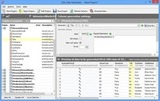
Check how the data is synchronized. Disable triggers, disable foreign keys, number of records per transaction, etc.
Productivity.
- Quick overview of the differences.
Easy-to-use navigation through the differences in core-coded data.
- Automated comparison and synchronization.
A command line utility is included to automate your data comparison and synchronization process.
Save your data comparison plan in a DataDiff project for later reuse.
- Detection of metadata alterations.
You do not need to reconfigure your complete comparison plan when the structure of an origin or destination table changes. O Datanamic DataDiff will do this for you automatically.
Dice bank connectivity.
- Support for several dice banks.
- Oracle 9i, 10g, 11g, 12c, 18c and 19c.
- MySQL 4, 5, 6 and 8.
- PostgreSQL 7, 8, 9, 10, 11 and 12.
- MS SQL Server 2000, 2005, 2008, 2012, 2014, 2016 and 2017.
- MS Access 2000, 2003, 2007, 2010 and 2013.
- Microsoft SQL Azure.
- Firebird 1.x, 2.x, and 3.x.
- InterBase 6, 7, 2009 and XE.
- SQLite 3.0 and higher.
- Comparison between dice bank versions.
Comparison and synchronization between the versions of the data bank are supported. For example, compare an MS SQL 2016 database with an MS SQL 2012 database. Note that a cross-platform database, for example, compare an Oracle database with an MS SQL Server database, is not compatible with the Standard edition. You will need the Professional edition now.